PRISM infrastructure operations background

GPU Infrastructure Operations

Where does GPU infrastructure
operation start to break down?

No Visibility into Resources

You can't tell which GPUs are in use and which are idle

Resource Hogging & Delays

When one user or job occupies GPUs, the overall job flow slows down

Manual Management Limits

Tracking servers with spreadsheets leads to slow incident response

Limited Usage Visibility

It is difficult to review which workloads are using available GPUs from one screen

GIGAFLOPS designs the operating environment together

Unified Monitoring Screen

Review GPU, CPU, memory, and job status from one screen

Slurm Scheduling Setup

Organize GPU job flow through resource allocation and queue management

Alert Rules

Customers can check anomalies and alerts directly through PRISM

GPU Usage Visibility

Review jobs, users, and node status together to find bottlenecks

Explore GIGAFLOPS Core Services Explore

6 Nodes × 8 GPUs = 48 GPUs — Compare individual operation vs Slurm unified scheduling in real time

10x
Elapsed 0:00 | Jobs 0

Individual Servers

Per-Team Nodes
0%

Queue 0

-Avg Wait
0Done
0Waiting

VS

Slurm Unified Pool

Unified Resource Mgmt
0%
Slurm Controller

Queue 0

-Avg Wait
0Done
0Waiting

Scheduling Activity

Click each feature to explore!

Open the PRISM demo in a new window.

The local environment is restricted by iframe security policy.

Open Demo

CFD / Thermal Flow

Visualizing
the Data Center

Review thermal flow inside server rooms through CFD simulation. GIGAFLOPS is extending this into a review layer for server layouts, cooling conditions, and thermal concentration zones.

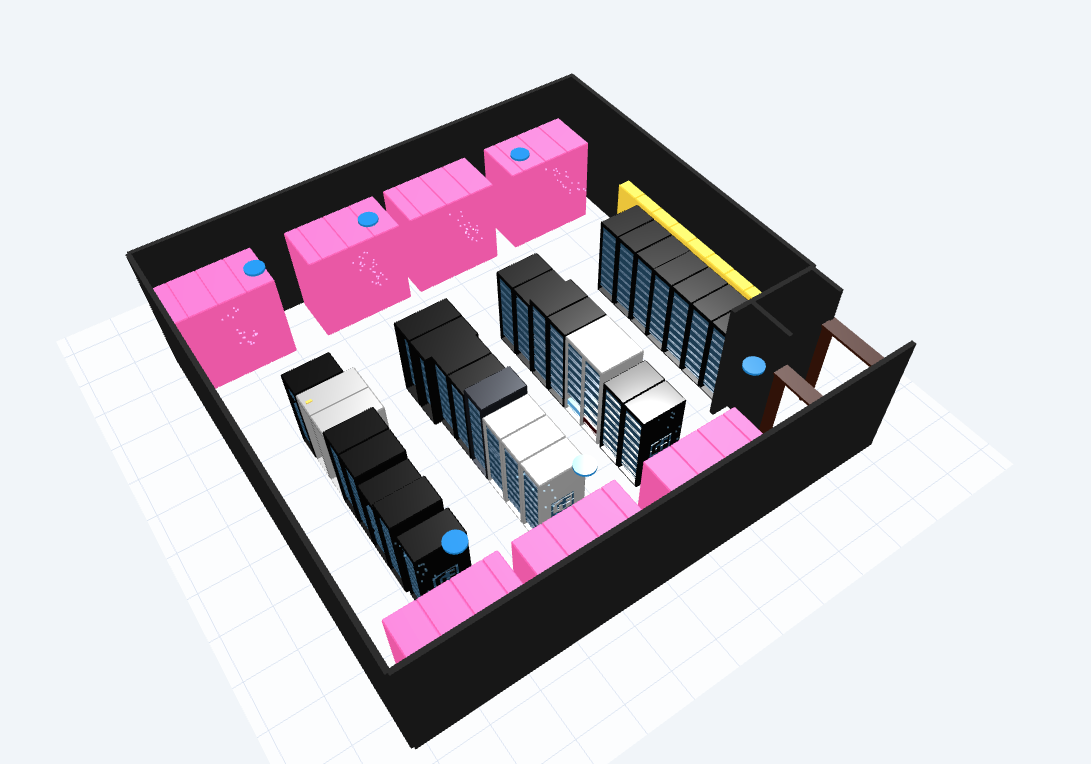
3D visualization of a data center server room structure

Digital Twin / Server Room

Review server-room
structure in 3D

Racks, servers, and equipment locations can be reviewed in 3D, helping operators understand asset position and on-site structure faster than a flat inventory list.

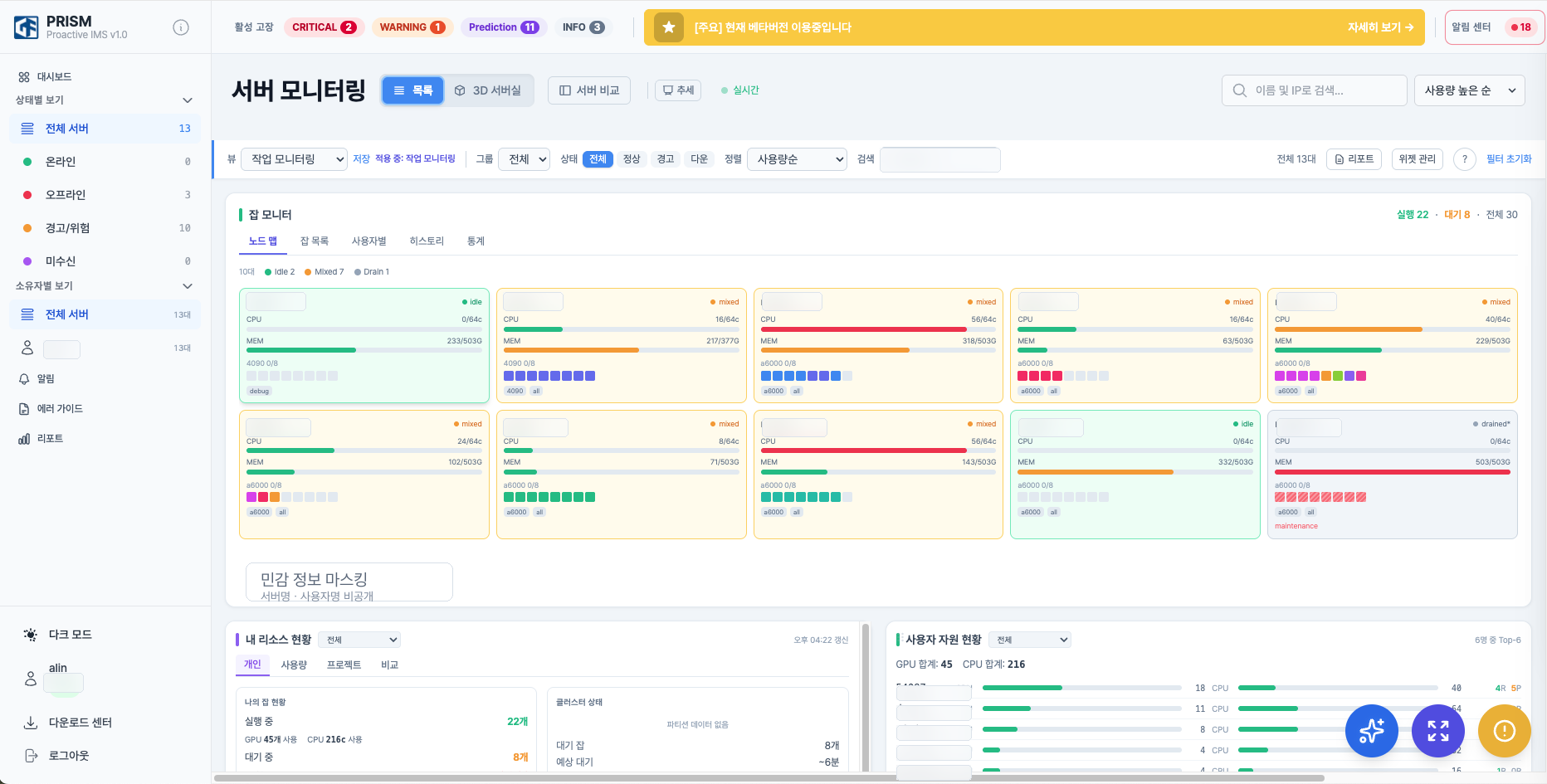
PRISM server monitoring screen with sensitive information masked

PRISM / Monitoring Link

Check status
from the visual screen

PRISM provides monitoring screens for servers, GPUs, jobs, and alerts. When connected with 3D visualization, equipment location and operating status can be reviewed in one flow.

Tech Demo Videos

Watch CFD simulations and Omniverse digital twin in action

NVIDIA Omniverse / CFD

CFD Thermal Simulation

Visualize server-room thermal flow in 3D to review cooling conditions and thermal concentration zones.

Surrogate / CFD Data-based

Surrogate-based Thermal Review

Extend toward fast thermal-flow estimation across layout, workload, and cooling-condition changes based on CFD analysis data.

Digital Twin / PRISM Integration

3D Server Click → Status Popup

Click a server in the Omniverse scene to see PRISM server-status information in a popup.

What Operations Teams Need to See

The key is not a single number, but one operating flow across servers, jobs, alerts, and thermal conditions.

Server StatusServer

Review CPU, memory, disk, and network status from the operations screen.

GPU StatusGPU

Track GPU utilization, memory, temperature, power, and error state together.

Job FlowSlurm

Connect queues, users, jobs, and node status for cluster operations.

Hardware SensorsIPMI/BMC

Check power, fans, temperature, and chassis-level hardware events.

Incident ResponseAlert

Reduce repeated manual checks with threshold and rule-based alerts.

Thermal FlowCFD

Preparing review areas for airflow conditions from server layouts and cooling conditions.

Complex Infrastructure, 4 Simple Steps

GIGAFLOPS supports consulting, deployment, and monitoring-environment setup in one flow.

1

Consulting

Requirements analysis &
assessment

2

Custom Build

Optimized hardware &
Slurm design

3

Deployment

Rapid on-site installation
& stabilization

4

Operations Environment

Set up PRISM for status checks,
alerts, and incident response workflows

Proven Tech Stack

Infrastructure built with globally leading technologies

NVIDIA Omniverse
Digital Twin · Visualization
Slurm
Cluster Scheduling
Prometheus
Metric Collection · Monitoring
PRISM
Unified Monitoring Platform
Docker
Container Orchestration
Kubernetes
Auto Deployment · Scaling

Infrastructure Built by GIGAFLOPS

Real customer cases proving our capabilities

AI·HPC Cluster

Yangjae AI Hub — GPU Cluster Build

H100 GPU-based AI training cluster with Slurm scheduling and PRISM monitoring-environment integration

Frequently Asked Questions

Linux-based servers can be integrated through Node Exporter installation. GPU servers, IPMI/BMC-enabled servers, and Slurm cluster environments are reviewed according to the deployment scope.
Depending on scale, it typically takes 2-4 weeks from hardware arrival to Slurm cluster installation and stabilization. We support the flow from consulting to monitoring-environment setup.
Yes. PRISM operates independently and is based on Prometheus + Node Exporter, so it integrates with your existing infrastructure by simply installing agents.
It runs on workstations with NVIDIA RTX GPUs. We are also preparing browser-based 3D scene viewing via web streaming.

Why GIGAFLOPS?

From GPU server delivery to cluster deployment and monitoring-environment setup

Area DIY · Individual Tools GIGAFLOPS Integrated Solution
Resource ManagementManual scheduling, GPU idle time Slurm-based job allocation and resource status review
Monitoring SetupBuild Grafana yourself, install plugins separately Review GPU/IPMI/Slurm status through PRISM
Server Location ReviewInventory and physical location are separated Review asset location and status through 3D visualization
Auto Alert SystemManual dashboard checks, delayed response 15-second auto alert, immediate response
Digital Twin · CFDNot supported NVIDIA Omniverse thermal simulation
Deployment & OperationRequires in-house team, recovery takes months One-stop build + monitoring, recovery in days

Trusted by Leading Institutions

GIGAFLOPS News

View All +

Review your current infrastructure
with GIGAFLOPS.

From consulting to deployment and monitoring, we review the scope around your operating environment.

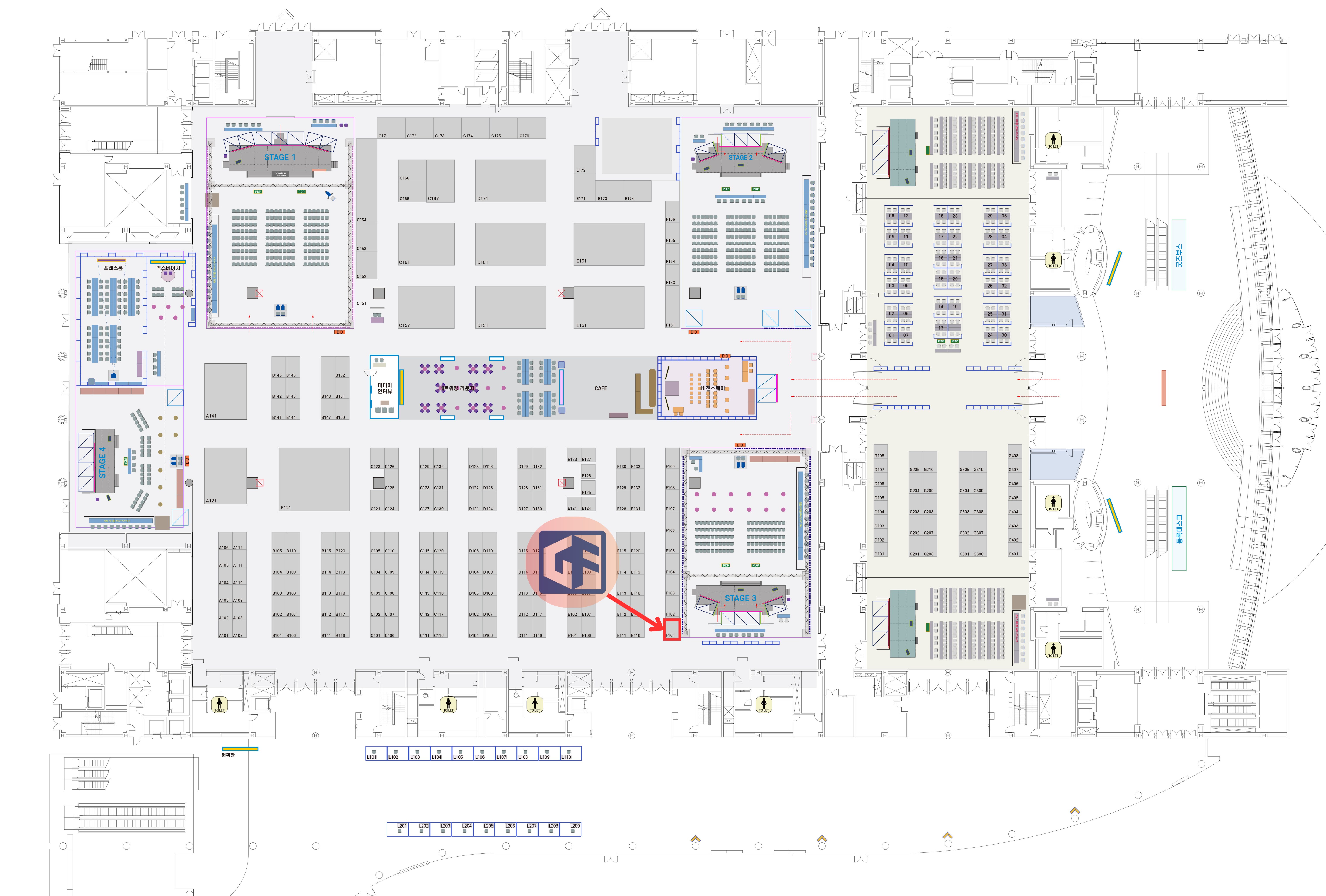
Booth layout

Contact GIGAFLOPS

Our HPC experts will get back to you promptly.